Change user password via OpenStack dashboard
Warning
You can only do this by authenticating through the Cloud GARR authentication, on the Login page.
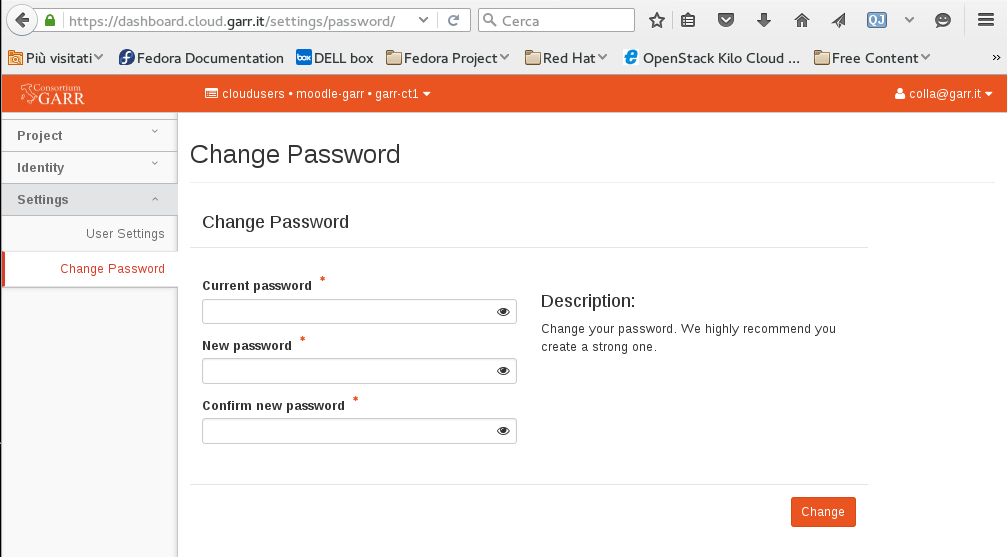
To change your password from the dashboard:
- Log in to the dashboard authenticating with Cloud GARR
- Click on your username on the top right of the screen
- Click on Settings -> Change Password on the left bar (see screenshot)
- Type the current password and the new password twice
- Click on Change. You will be logged off and will have to log in again with the new password.